A clamping setup that shifts mid-cut doesn't just ruin the part — it risks the tool, the spindle, and occasionally the operator. If you've recently added magnetic workholding to your CNC workflow, or you're upgrading from mechanical clamping to a cleaner, more flexible setup, the installation process is where the whole system either delivers on its promise or quietly introduces problems you'll spend weeks chasing. An Electro Permanent Magnetic Chuck is a precision instrument as much as it is a clamping device. Getting it onto the machine correctly — mechanically stable, electrically sound, thermally accounted for — determines whether the clamping force stays consistent from the first cut to the thousandth.
Before the installation process, it helps to understand what the device is actually doing — because the installation logic follows directly from the operating principle.
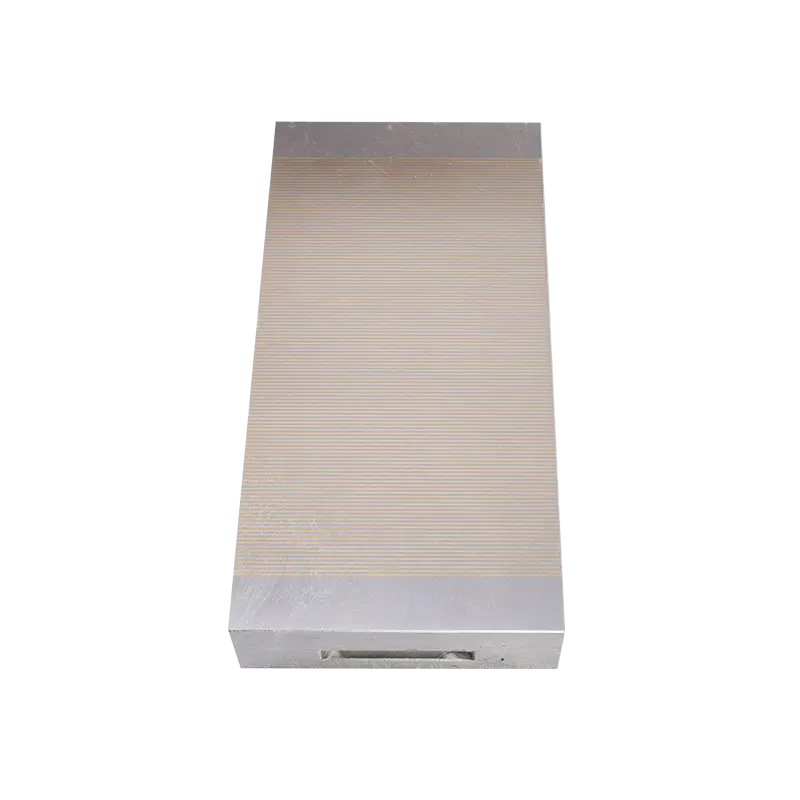
An electro permanent magnetic chuck uses a combination of permanent magnets and electromagnets within its body. A brief electrical pulse magnetizes or demagnetizes the permanent magnet array. Once the workholding state is set — clamped or released — no continuous power is required to maintain it. The permanent magnets hold the state. Power is only needed for the switching pulse.
This is different from a pure electromagnet, which requires continuous current to maintain clamping force and loses its grip immediately on power failure. It's also different from a purely permanent magnet chuck, which can't be switched off without a mechanical action.
The practical installation implications:
Rushing to mount a chuck before verifying machine compatibility and component condition is the step that creates problems later. These checks take time, but they prevent rework.
Machine table verification:
Chuck condition inspection:
Electrical compatibility:
The mounting sequence matters. Steps done out of order — particularly tightening fasteners before alignment is complete — create a situation where correcting the error requires starting over.
Step 1 — Position the chuck on the table
Lower the chuck onto the table surface carefully. Avoid dragging it across the table, which scratches both surfaces and can shift the pole face geometry. If the chuck is heavy, use a lift or two-person placement.
Step 2 — Preliminary alignment to machine reference
Using the machine spindle as a reference, position the chuck so that its reference edge runs parallel to the machine axis. A dial indicator mounted in the spindle and swept along the chuck's reference edge gives a direct reading of angular alignment error. Adjust the chuck position until the indicator reading is consistent along the full length of the reference edge.
Step 3 — Establish squareness on the second axis
Sweep the indicator along the perpendicular axis reference edge. Adjust until both axes are aligned to the required tolerance. For milling applications, the alignment tolerance is typically tighter than for grinding; check the chuck manufacturer's specification for the relevant tolerance range.
Step 4 — Insert mounting fasteners without tightening
Thread fasteners into all mounting holes finger-tight. This allows for small positional corrections before final tightening.
Step 5 — Re-verify alignment
With fasteners in finger-tight, re-sweep both reference edges with the indicator. Small shifts during fastener insertion are common. Confirm that alignment is still within tolerance before proceeding.
Step 6 — Tighten fasteners in a cross pattern
Tighten fasteners progressively in a cross pattern — not sequentially around the perimeter — to avoid introducing twist into the chuck base. Final torque should follow the chuck manufacturer's specification. Over-tightening fasteners on a precision magnetic chuck risks distorting the base and affecting the flatness of the pole face.
Step 7 — Final flatness check
After full tightening, sweep a dial indicator across the pole face in both axes. Any deviation from flatness at this stage is either a table surface issue, a chuck base distortion from over-tightening, or pre-existing chuck surface condition. Identify and address before proceeding to electrical connection.
The electrical setup for a magnetic chuck is straightforward, but errors here have immediate consequences — either the chuck doesn't function or, in a grounding fault scenario, safety is compromised.
Control unit mounting:
Cable connection:
Power supply connection:
Grounding:
The installation process follows the same sequence across machine types, but the tolerance requirements and environmental conditions differ. A surface grinder installation demands tighter flatness verification than a general milling setup because the grinding process amplifies small errors across the finished surface. An EDM application raises corrosion and dielectric compatibility questions that don't arise in dry or flood-coolant milling.
A completed installation means nothing until the chuck has been tested through its full operating cycle under conditions that reflect actual use.
Activate the chuck using the control unit. Confirm that the indicator light or display on the control unit shows the correct magnetized state. Place a small steel test piece on the pole face and attempt to lift it by hand. The holding force should be clearly evident and consistent with the chuck's rated specification. Activate the demagnetize command and confirm that the test piece releases cleanly.
Move the test piece across different zones of the pole face — corners, edges, center — and repeat the hold and release test. Uneven holding force across the surface may indicate a pole face flatness issue, surface contamination in specific zones, or a fault in the internal magnet array.
After a demagnetization cycle, verify that no significant residual magnetism remains in the pole face. Residual magnetism in a demagnetized chuck can affect workpiece positioning during loading and cause fine ferrous particles to accumulate on the surface over time. Most chuck control units include a demagnetization cycle that progressively reduces residual field; verify that this function is operating correctly.
Cycle through several activate and deactivate sequences and confirm consistent, repeatable response. A chuck that requires multiple command inputs to switch state, or that switches inconsistently, has an electrical connection issue or a control unit fault that needs to be resolved before production use.
Understanding what goes wrong when installation is done incorrectly is useful both as a troubleshooting reference and as a motivation to follow the process carefully.
Insufficient table surface preparation: Chips or raised points on the table surface under the chuck base create a non-planar mounting condition. The chuck sits on high points, the base flexes slightly under clamping load, and the pole face develops a small angular error relative to the spindle axis. In surface grinding or tight-tolerance milling, this shows up as inconsistent surface finish or dimensional error across the workpiece.
Over-tightened mounting fasteners: Excessive torque on mounting fasteners distorts the chuck base. The distortion is small but detectable on a dial indicator sweep of the pole face. Once the base is distorted, the flatness error cannot be corrected through surface grinding without affecting the chuck body geometry.
Poor grounding: A high-resistance ground connection may pass continuity testing while still providing inadequate fault protection. In a machining environment with coolant, metal chips, and rotating equipment, electrical safety is not an area for guesswork.
Cable routing alongside coolant lines: Coolant that contacts the control cable connector accelerates corrosion of the connection. Connector corrosion creates intermittent electrical contact that produces inconsistent chuck switching — a fault that's difficult to diagnose once the installation is complete and the cable is routed through the machine.
Skipping the residual magnetism check: A chuck with significant residual magnetism in the "off" state will attract fine ferrous chips during workpiece loading. Those chips sit between the workpiece and the pole face, acting as spacers that prevent full contact and reduce effective holding force. The problem accumulates over time if the root cause isn't identified.
Installation is a one-time process. Maintaining the conditions that support consistent chuck performance is ongoing.
Daily checks:
Periodic checks:
Longer-term maintenance:
Installing a magnetic chuck correctly is the kind of process where the effort put in at the beginning pays off across every production run that follows. A chuck that's properly aligned, correctly grounded, and tested through its full operating cycle before the first workpiece is loaded doesn't create machining problems — it prevents them. The installation steps described here apply across the range of standard CNC machine configurations, and the principles behind each step are grounded in the actual failure modes that poor installation produces in practice. If your facility is integrating magnetic workholding into a CNC workflow for the first time, or upgrading an existing installation, working with a supplier who can provide technical support alongside the equipment makes the commissioning process considerably more reliable. Zhejiang Three-gold Magnetic Machine Co., Ltd. manufactures Electro Permanent Magnetic Chuck systems for CNC milling, grinding, and machining center applications, and provides technical documentation and application support for installation and integration. Bringing your machine specifications and workholding requirements to that conversation is the direct way to confirm compatibility and get the installation right from the start.



PRODUCTS

CONTACT US
Copyright @Zhejiang Three-gold Magnetic Machine Co., Ltd. All rights reserved
Magnetic Lifting Tools Manufacturers


 English
 中文简体
中文简体
 русский
 عربى
عربى